Design your extension online, free: a guide to our extension planner
· 5 min read
Most people find it hard to picture a new layout from a floor plan. Where would the kitchen go if that wall came out? Would a side return make the room too long? Is there space for a bathroom upstairs?
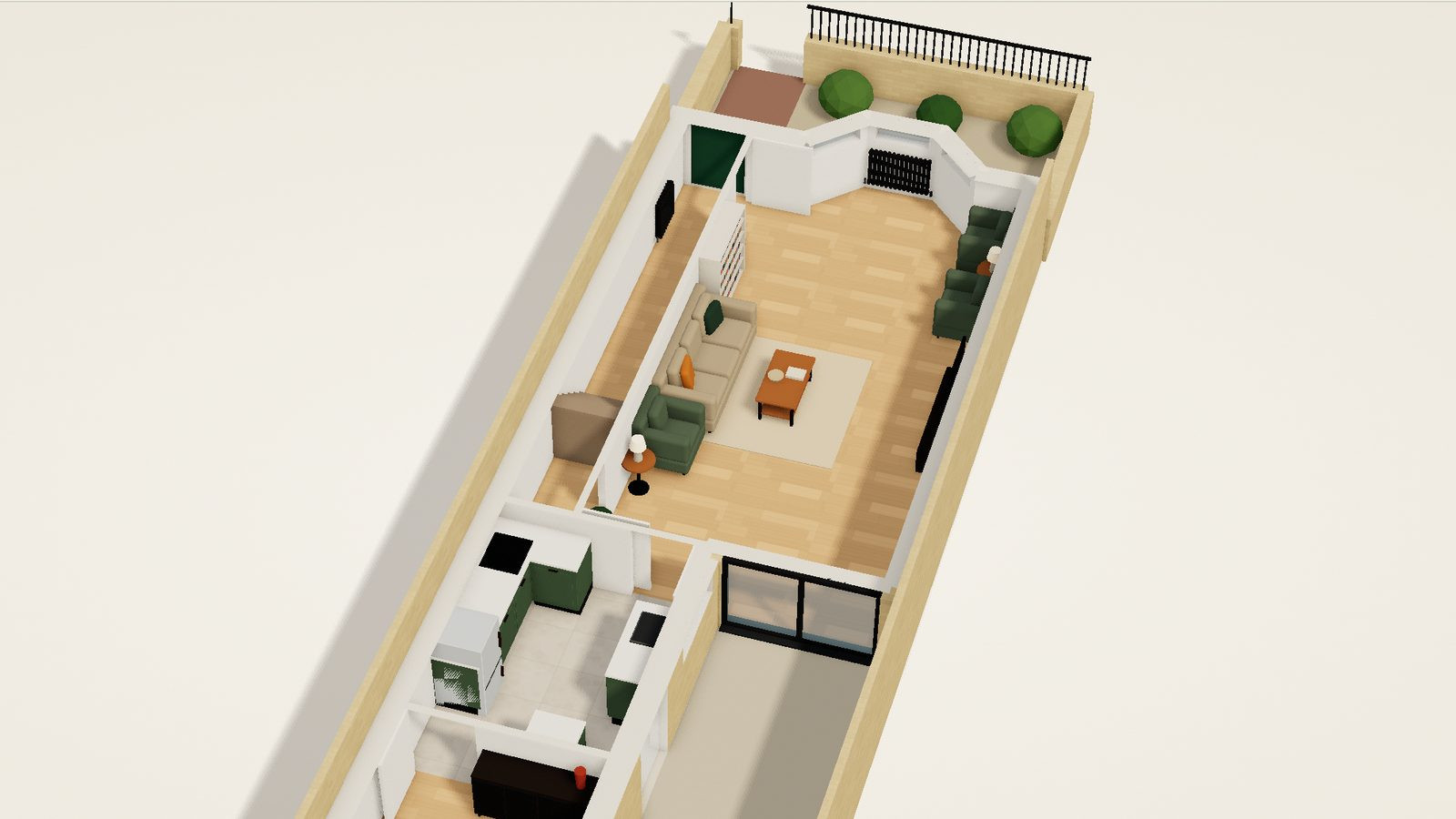
The Free Extension Planner is a tool from our design and build team, free to use, made to help with exactly that. It finds a typical London home like yours, lets you walk round it in 3D, furnished, and lets you change it: the walls, the doors and windows, the rooms, and space added at the back, at the side, in the roof or below. There is nothing to sign up for. Here is how it works.
Step 1: a few questions
Tell it about your home, one question at a time:
- When it was built: Georgian, Victorian or Edwardian, the 1920s or 30s, post-war, or since 2000.
- What kind of home it is: a terraced house (an end of terrace counts), a semi, a detached house, or a flat, and for a flat, which floor it is on.
- How it has been extended: a rear extension, the side return, a wraparound, a side extension or a loft conversion, or not at all.
- For an older house, whether it has a cellar or a basement.
- How many bedrooms and bathrooms it has.
As you answer, the front of that kind of home is drawn beside the questions, so you can see you are on the right track. You can change any answer later.
Step 2: homes like yours
It then shows up to four typical London homes that match your answers, each with its floor plans, the street at the top. Homes of the same age and kind are often laid out in a few familiar ways, and one of them is usually close to yours. Choose the one most like it. If none is right, there is another, or you can change your answers.
Step 3: its plan, then in 3D
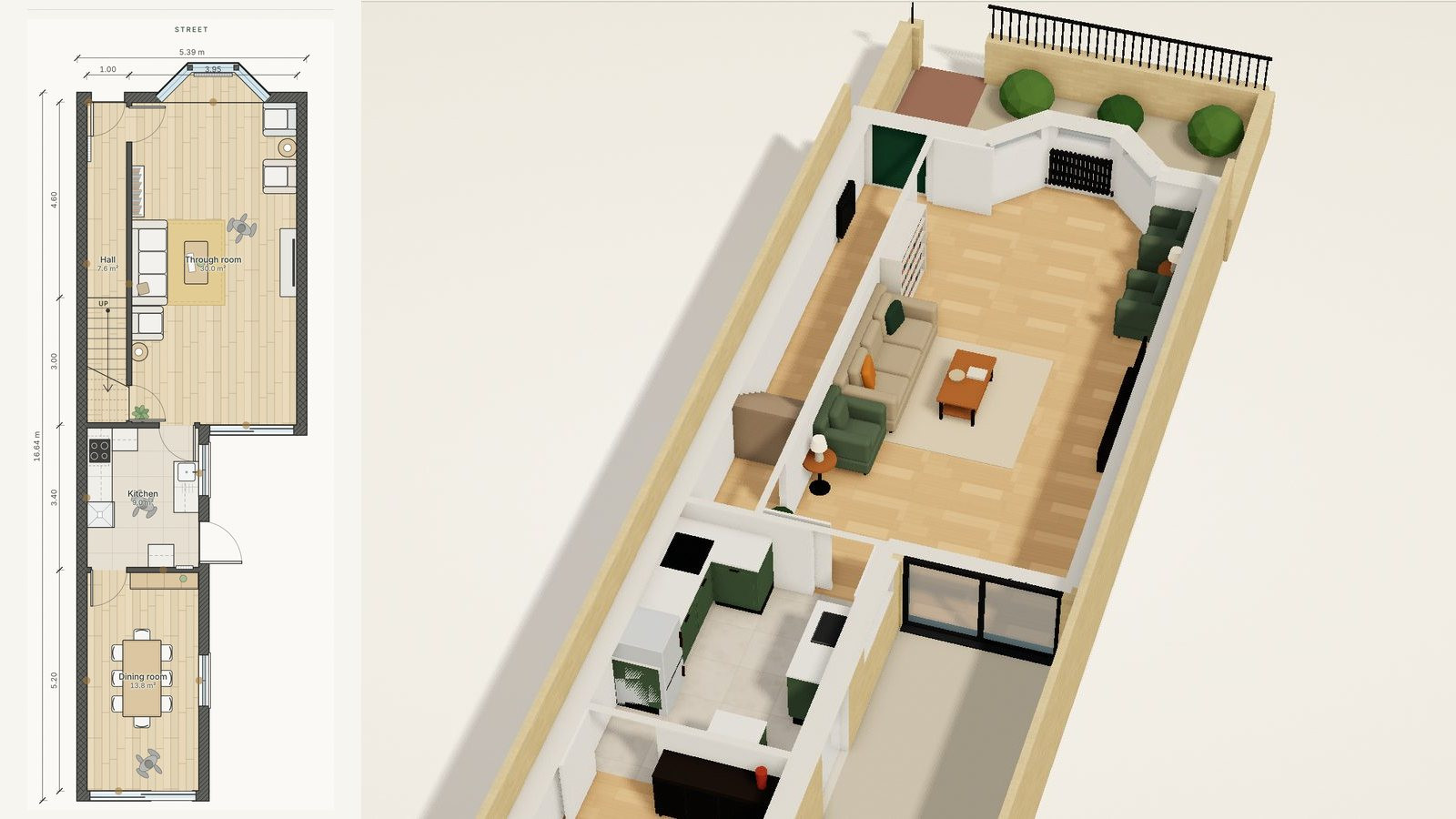
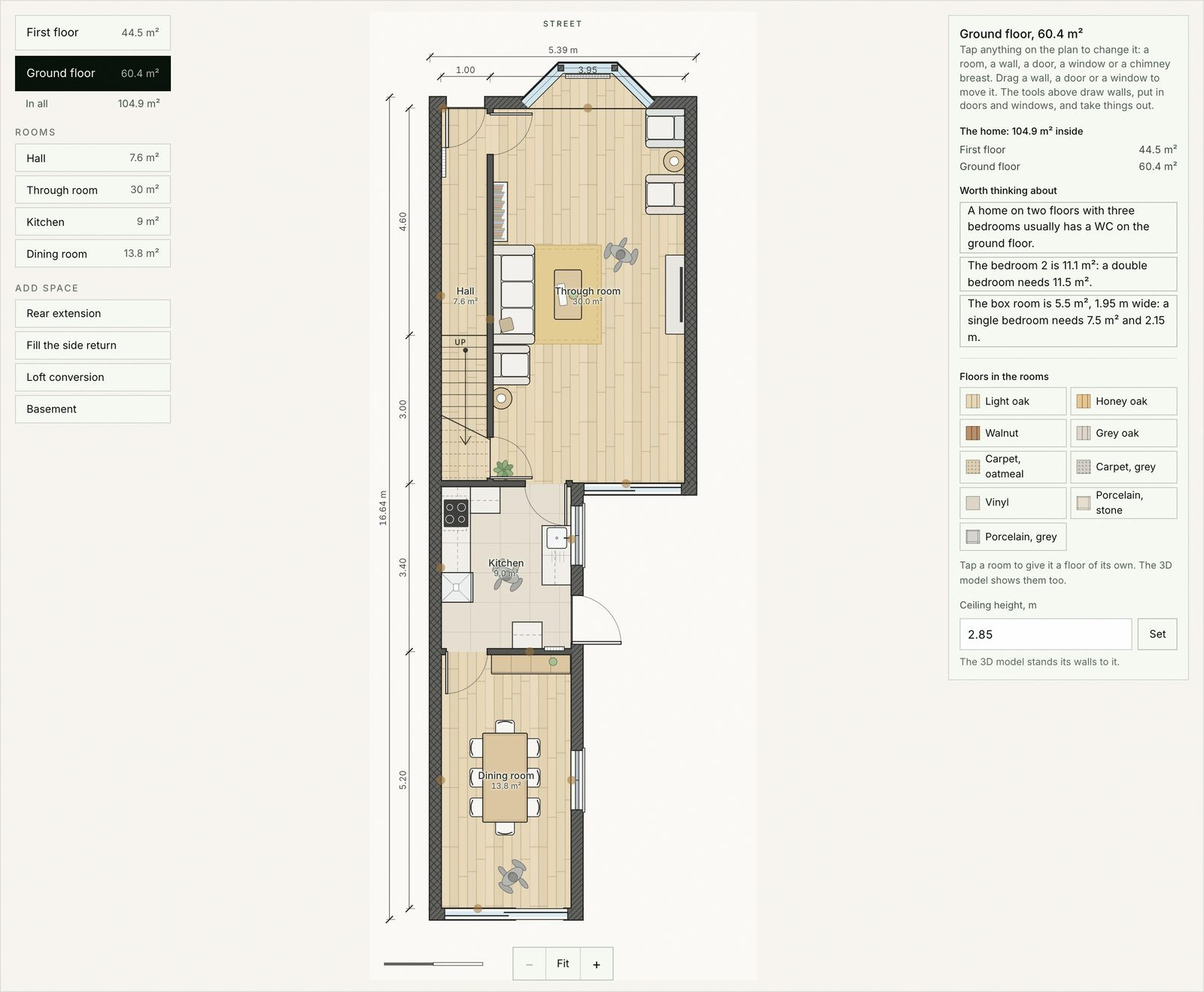
The home opens on its floor plan, one floor at a time, drawn the way an architect presents a plan: the walls, the doors and windows, every room's size, the furniture, and the dimensions outside the walls. This is where you change it.
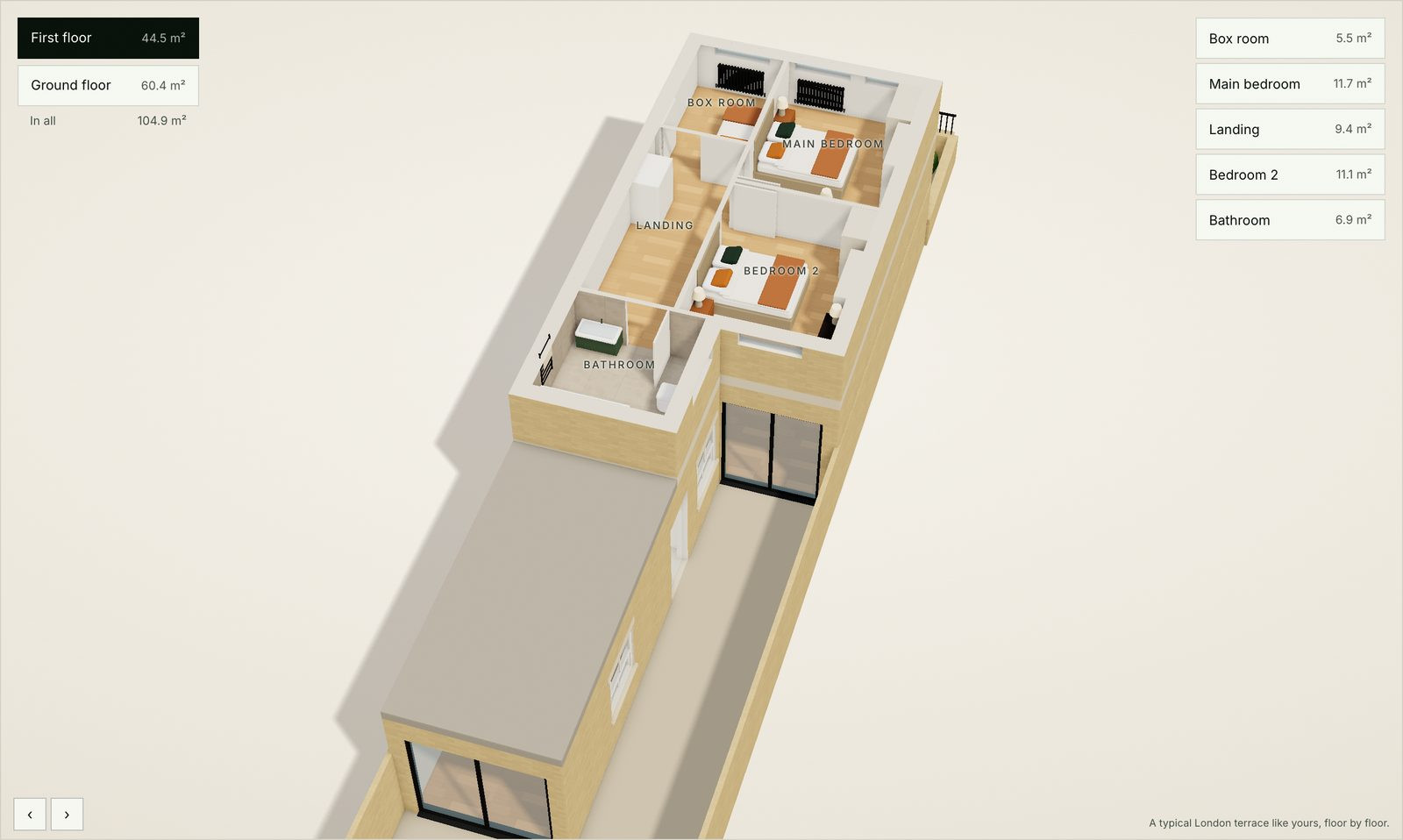
Press 3D model to see the same home in 3D, furnished, seen from the garden with the street at the top, the same way round as its plans. Choose a floor on the left and a room on the right to go to it, and turn the model to look around. A home that has been extended is shown refurbished, with oak floors, and its extension opens onto the garden with sliding doors; one that has not is shown with carpets and the windows of its age.
Step 4: make it yours
On the floor plan, everything that can change shows under the pointer. Tap it to see its sizes and choices, or drag it to move it. You can:
- Move internal walls, or the outside and party walls, and set a room to the size you want.
- Take a wall out to knock two rooms through, or draw a new one, straight or with corners, to make a cupboard, an en suite or a study.
- Move doors and windows, change their size, and add or remove them, with single, double, pocket, sliding and folding doors.
- Change what a room is used for, swap two rooms, move the bath, shower, WC and basin, and take out a chimney breast.
- Add space: a rear extension, the side return filled, a loft conversion or a basement, or for a flat, a floor above or below.
- Choose the floors, room by room, from oak boards to carpet and tiles, and set the ceiling heights and any split levels.
The furniture rearranges itself every time, by fixed rules: nothing in front of a door, room to walk round the bed and the table, the kitchen kept clear. Beside the plan, a short list of things worth thinking about points out what a home like yours usually has, such as a second bathroom or a WC downstairs.
If the home is not quite like yours, put it right first, then press Save as my home as it is. What you change after that is your design, and you can switch between the Existing and Designed sheets to compare the two.
Keep it, or send it to us
Your changes stay in your browser, so they are there when you come back on the same device. Under the home you can:
- Get your plans: leave your name and email and we save your design with us. Then email us, and we send you its plans: every floor drawn to scale, as it is and as you designed it, ready to print.
- Send us this design: a consultation request with the home you chose and the changes you made already written in, so we see what you have in mind before we call.
- See what it might cost, with our free estimate for extensions, loft conversions and refurbishments.
What it is, and what it is not
The planner shows a typical home like yours, not a survey of your own. Its sizes are a guide, and it does not check planning rules or building regulations. That is what our designers do with you, starting from your home as it really is, measured on site.
When you are ready, our design and build team takes it from there: the drawings, the approvals and the build. If your plans include an extension or a loft, our guides to house extension costs in London and loft conversion costs are good next reads, and the Design Studio has our other free tools.
Guides to go with it
- Victorian terrace layout ideas: the ground floor, the middle room, open or broken plan.
- Knocking through: the checks, the rules and the cost of taking a wall out.
- Wraparound extension ideas: layouts, planning and cost.
- How to read a floor plan: the symbols, the sizes and the scale.
- Adding a downstairs WC or a second bathroom: where it fits, the rules and the cost.
Planning work like this? See how MVV handles house extensions in London.
Good to know
Frequently asked questions
- Is the extension planner free?
- Yes, and there is nothing to sign up for. You only leave your name and email if you want your plans, or want us to get in touch about your design.
- Can I see my own house plans in 3D?
- Not by uploading them. You answer a few questions, choose the typical London home most like yours, and see it in 3D with its plans. Then change its walls, rooms and windows to match your own, and keep that as your home as it is.
- Is there a free 3D house design app?
- The planner is free and runs in your web browser, so there is nothing to download or sign up for. It is made for London homes: terraces, semis, detached houses and flats of every age.
- Is it my own home?
- It is a typical London home like yours, chosen from your answers: Georgian, Victorian and Edwardian terraces, semi-detached and detached houses, 1920s and 30s, post-war and new build homes, and flats in converted houses and mansion blocks. You can change it to match yours, but its sizes are a guide; we measure your own home on site.
- What can I change?
- Internal, outside and party walls, doors and windows, the size and use of each room, the bathrooms, chimney breasts, floor finishes, ceiling heights and split levels. You can also add a rear extension, fill the side return, convert the loft or dig a basement.
- Can I save or share my design?
- Your changes stay in your browser on the same device. The page's address keeps your answers and the home you chose, so you can bookmark it. To keep your design, ask for its plans: every floor to scale, as it is and as you designed it. We keep them for you and email them to you when you write to us.
- Does it work on a phone?
- Yes. You can answer the questions and walk round the home on a phone. Changing the plan is easiest on a tablet or a computer.
- How do I turn my design into a real project?
- Press Send us this design under the home. We see the home you chose and the changes you made, and one of us comes back to you to arrange a free consultation.